
Programowanie · Budowanie i kod
pcf-model-driven-apps
/pcf-model-driven-apps
Pokazuje, jak wdrażać i konfigurować komponenty kodu w aplikacjach model-driven.
- Autor
- pingqLIN ↗
- Repozytorium
- skill-0 ↗
- Licencja
- MIT
- Ostatnia zmiana repozytorium
- 18.07.2026
Ocena i bezpieczeństwo
100/ 100Klasa: dobry
Format25 / 25
Frontmatter z nazwą i opisem, poprawna nazwa, opis do 1024 znaków, nazwa zgodna z folderem.
Odkrywalność25 / 25
Opis mówi, kiedy użyć skilla, ma sensowną długość i jest w 3. osobie.
Treść35 / 35
Co najmniej 150 słów i do 500 linii, nagłówki, listy kroków, przykłady albo kod.
Higiena15 / 15
Bez zaślepek typu TODO, bez ścieżek Windows, z licencją.
Ryzykobrak sygnałów w skanie
- Pliki w paczce
- 1
- Skrypty
- 0
- Komentarze HTML
- 0
- Adresy URL w SKILL.md
- 10
Przestarzałość
Brak sygnałów. Repozytorium zmienione 18.07.2026, bez odwołań do wycofanych modeli i API.
Licencja
MIT, otwarta: można używać i zmieniać, z zachowaniem informacji o autorze.
Co robi i kiedy
Pokazuje, jak wdrażać i konfigurować komponenty kodu w aplikacjach model-driven.
Oryginalny opis (EN)
Code components for model-driven apps implementation and configuration Triggers on: **/*.{ts,tsx,js,json,xml,pcfproj,csproj}
Jak działa
- Component Usage
- Implementing Code Components
- Add Code Components to Model-Driven Apps
- Update Existing Code Components
- See Also
Sekcje z nagłówków SKILL.md, w oryginale · 47 linii, 246 słów
Podgląd SKILL.md
---
name: pcf-model-driven-apps
description: Code components for model-driven apps implementation and configuration Triggers on: **/*.{ts,tsx,js,json,xml,pcfproj,csproj}
triggers: "**/*.{ts,tsx,js,json,xml,pcfproj,csproj}"
globs: "**/*.{ts,tsx,js,json,xml,pcfproj,csproj}"
---
# Code Components for Model-Driven Apps
Power Apps component framework gives developers the ability to extend the visualizations in model-driven apps. Professional developers can create, debug, import, and add code components to model-driven apps using [Microsoft Power Platform CLI](https://learn.microsoft.com/en-us/power-apps/developer/component-framework/get-powerapps-cli).
## Component Usage
You can add code components to:
- Columns
- Grids
- Sub grids
in model-driven apps.
> **Important**: Power Apps component framework is enabled for model-driven apps by default. See [Code components for canvas apps](https://learn.microsoft.com/en-us/power-apps/developer/component-framework/component-framework-for-canvas-apps) to learn how to enable Power Apps component framework for canvas apps.
## Implementing Code Components
Before you start creating code components, make sure that you have installed all the [prerequisites](https://learn.microsoft.com/en-us/power-apps/developer/component-framework/create-custom-controls-using-pcf#prerequisites) that are required to develop components using Power Apps component framework.
The [create your first code component](https://learn.microsoft.com/en-us/power-apps/developer/component-framework/implementing-controls-using-typescript) article demonstrates the step-by-step process to create code components.
## Add Code Components to Model-Driven Apps
To add code components to a column or a table in model-driven apps, see [Add code components to model-driven apps](https://learn.microsoft.com/en-us/power-apps/developer/component-framework/add-custom-controls-to-a-field-or-entity).
### Examples
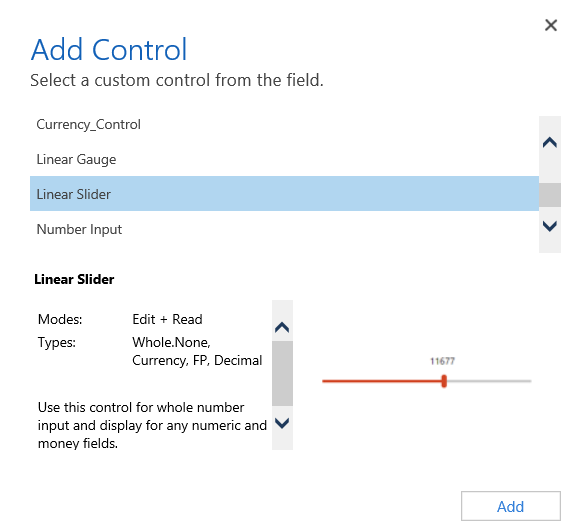
**Linear Slider Control:**
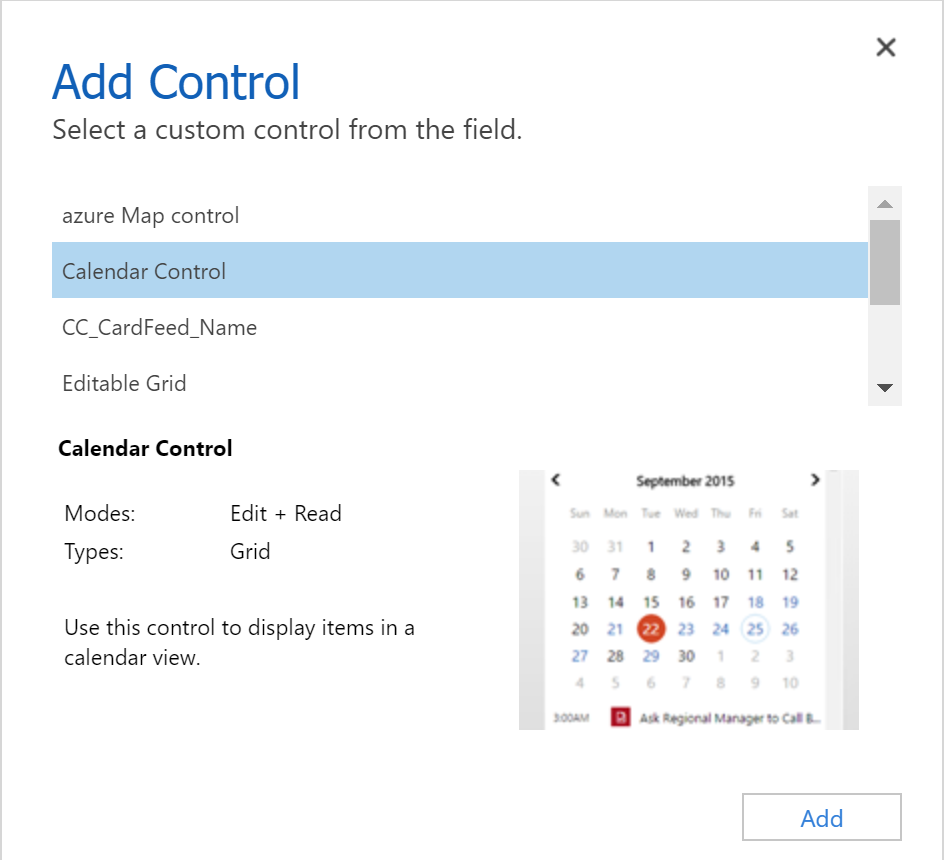
**Data Set Grid Component:**
## Update Existing Code Components
Whenever you update the code components and want to see the changes in runtime, you need to bump the version property in the manifest file.
**Best Practice**: It is recommended to always bump the version of the component whenever you make changes.
## See Also
- [Power Apps component framework overview](https://learn.microsoft.com/en-us/power-apps/developer/component-framework/overview)
- [Create your first code component](https://learn.microsoft.com/en-us/power-apps/developer/component-framework/implementing-controls-using-typescript)
- [Learn Power Apps component framework](https://learn.microsoft.com/en-us/training/paths/use-power-apps-component-framework)
Wersje
W bazie nie ma innych skilli o nazwie pcf-model-driven-apps.
Migawka bazy z 28.10.2026 · wersja paczki e9cd2418bafe (skrót SHA-256 całej paczki)
Zgłoś problem z tym skillem: szkodliwa treść, błędny opis albo prośba autora o usunięcie.
Podobne skille
- 90pcf-canvas-apps
Pomaga tworzyć komponenty kodu do aplikacji canvas w Power Apps z uwzględnieniem bezpieczeństwa i konfiguracji. - 100pcf-code-components
Wyjaśnia strukturę i implementację komponentów kodu PCF, czyli manifest, pliki TypeScript i konfigurację projektu. - 100pcf
Buduje, testuje, diagnozuje, aktualizuje, wdraża i weryfikuje komponenty kodu Power Apps component framework (PCF) dla aplikacji model-driven i Power Pages, z bramkami jakości i wdrożeniem przez pac pcf push. - 90pcf-and-web-resources
Pomaga tworzyć i wdrażać kontrolki PCF, zasoby sieciowe i skrypty formularzy oraz sprawdzać formuły Power Fx w aplikacjach modelowych. - 100pcf-controls
Prowadzi przez budowanie, wdrażanie i używanie kontrolek PCF: pola, datasety, kontrolki React, manifest i paczkowanie. - 100pcf-conventions
Ocenia, czy PCF jest właściwym narzędziem i jakiego typu kontrolki użyć, a także zapisuje pułapki wdrożeń PCF.